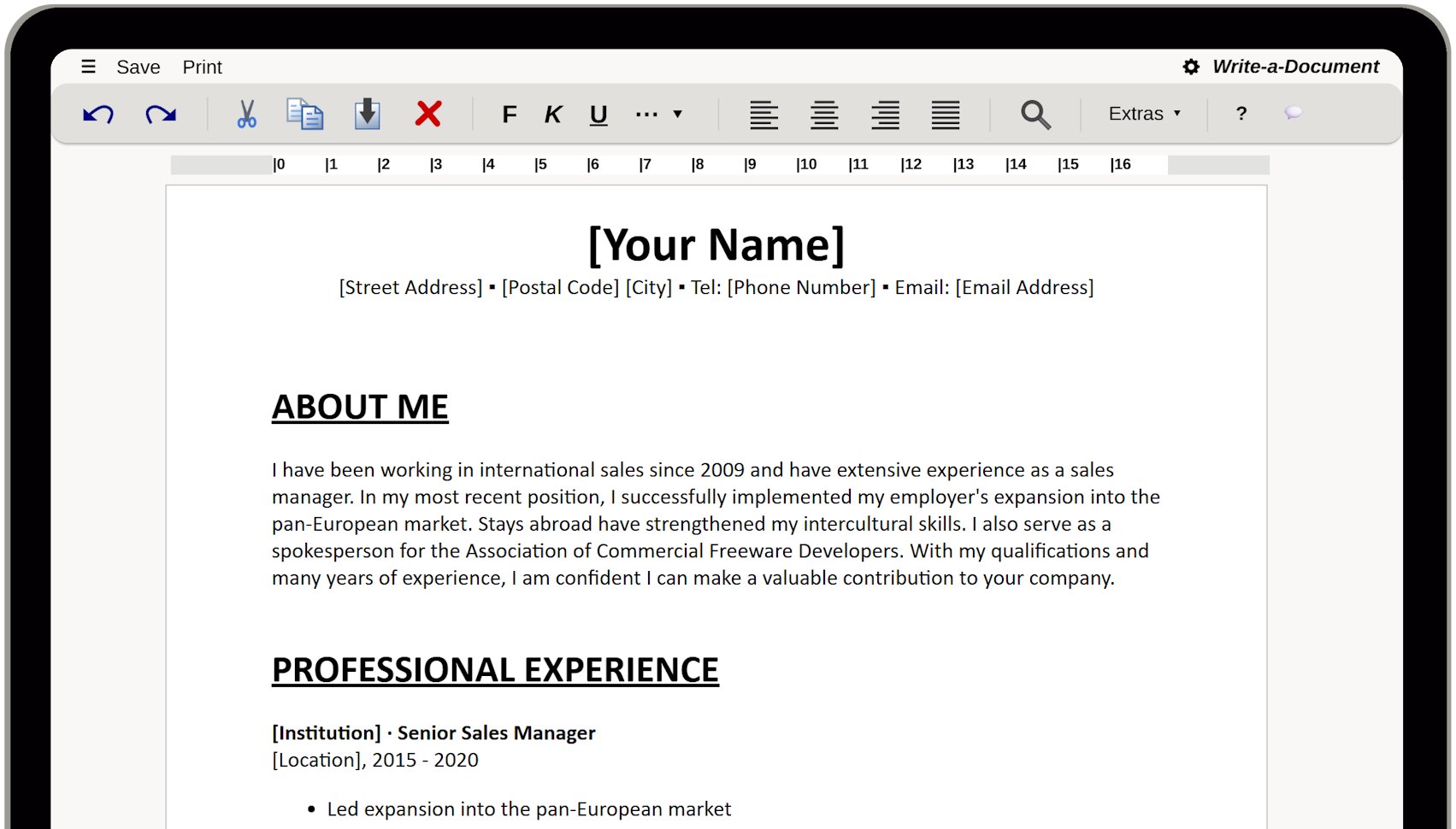
Creating a CV doesn't have to be complicated or time-consuming. With our web-based writing software, you can write your CV directly in your browser, format it neatly, and then print it or export it as a file – no installation or user account required. In the menu " – New – Use Template" you will find the appropriate template.
Whether it's an internship, apprenticeship, entry-level position, or job change: A clearly structured resume helps recruiters grasp your most important experiences in just a few seconds.
On this page you will find a simple guide on how to create your CV step by step – including typical sections and tips on what is particularly important in Germany, Austria, and Switzerland.
When creating a resume, you should first familiarize yourself with the different types of layouts. A Curriculum Vitae is usually clear and concise and 1-2 pages long. In Germany, Austria, and Switzerland (DACH region), the reverse chronological order is usually standard: most recent first.
First and Last Name
Address
Telephone Number
Email Address
2–4 lines about who you are and what you are looking for.
For each position:
Dates (MM/YYYY – MM/YYYY)
Employer, Location
Position
2–5 bullet points on tasks, results, tools, and technologies
For each position:
Dates (MM/YYYY – MM/YYYY)
Institution, Location
Course of Study,
Degree
2–5 bullet points on noteworthy achievements
IT/Software skills (e.g., Office, tools)
Languages (level, e.g., B2/C1)
Optional: Driver's license, certificates (e.g., language test, courses)
LinkedIn/XING/Portfolio link, nationality (if relevant)
Further training and certificates
IHRE SICHERHEIT IST UNS WICHTIG
Kaufen Sie unsere Produkte bei renommierten Anbietern.
DigiStore24 akzeptiert die folgenden Zahlungsarten:
PayPal, SEPA, Kreditkarte, Klarna und Vorkasse
Der Microsoft Store akzeptiert die folgenden Zahlungsarten:
PayPal, SEPA, Kreditkarte, Abrechnung über Ihren Mobilfunkanbieter und Xbox-Guthabenkarten
Google Play akzeptiert die folgenden Zahlungsarten:
PayPal, Kreditkarte, Klarna, PaysafeCard und Google-Play-Guthabenkarten
Hinweis: Die verfügbaren Zahlungsarten können variieren.
Unsere Downloads sind virengeprüft.


