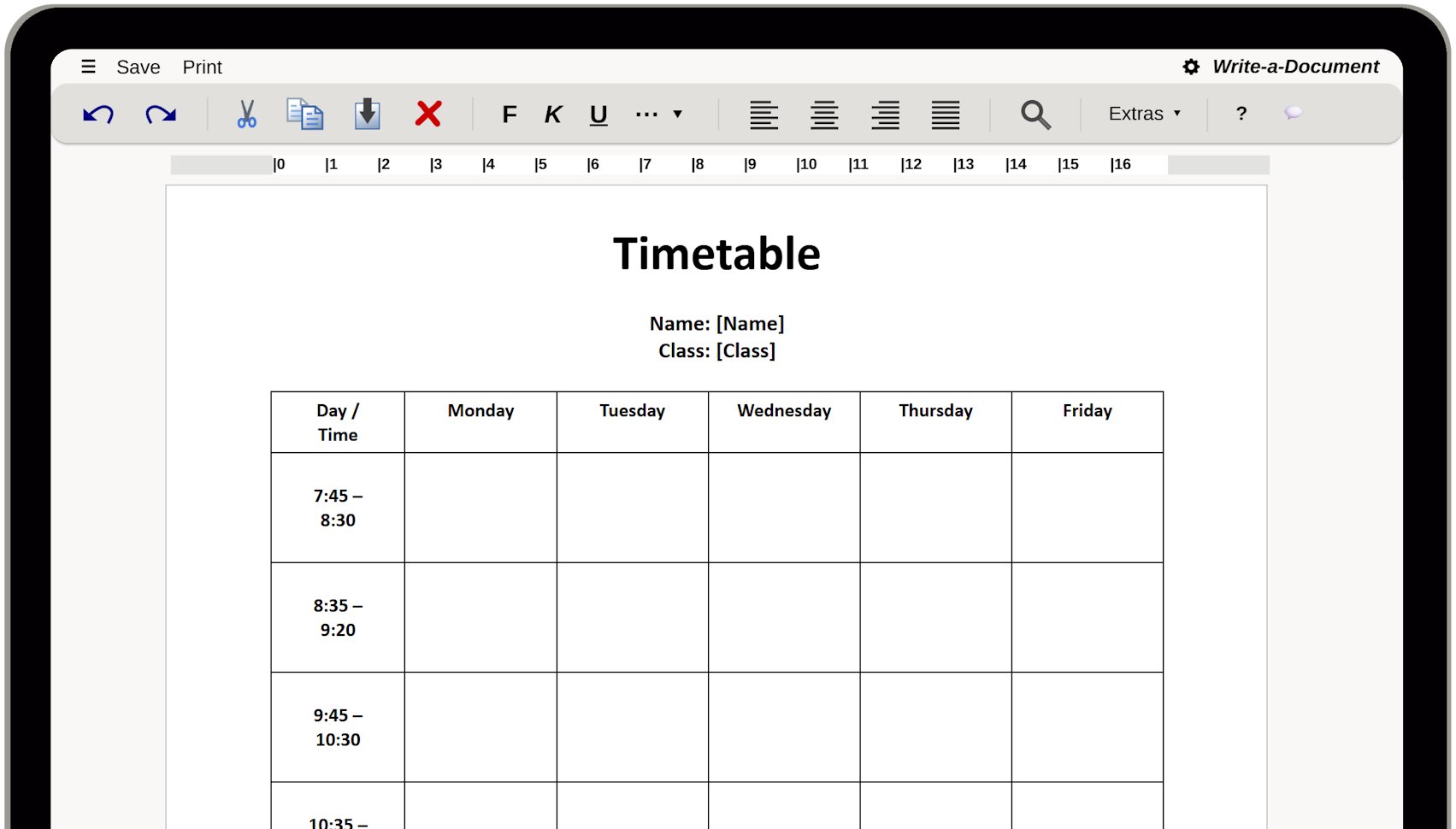
If you like to create a timetable you should ideally start by creating a table – or use a suitable template from the beginning.
With our web-based writing software, you can create a timetable directly in your browser. No installation or user account required. First, click on "Create Timetable now". Then you will find a timetable template in the menu " – New: Use Template". Open this template and simply fill in the fields. Then, you can print your timetable or export it as a PDF.

A timetable is a clear and concise presentation that structures the daily routine at school or university. It shows which subjects or courses take place on which day and at what time.
A timetable is typically structured as a table. The rows usually contain the times and lesson periods, while the columns represent the individual days of the week. The respective subject is then entered in the table cells, often supplemented by the room or the name of the teacher or lecturer.
A well-designed timetable helps you keep track of your daily routine and organize yourself better. It makes it clear when study times are close together and when there is free time for breaks, homework, or leisure.
A word processor is a good tool for creating a timetable.
IHRE SICHERHEIT IST UNS WICHTIG
Kaufen Sie unsere Produkte bei renommierten Anbietern.
DigiStore24 akzeptiert die folgenden Zahlungsarten:
PayPal, SEPA, Kreditkarte, Klarna und Vorkasse
Der Microsoft Store akzeptiert die folgenden Zahlungsarten:
PayPal, SEPA, Kreditkarte, Abrechnung über Ihren Mobilfunkanbieter und Xbox-Guthabenkarten
Google Play akzeptiert die folgenden Zahlungsarten:
PayPal, Kreditkarte, Klarna, PaysafeCard und Google-Play-Guthabenkarten
Hinweis: Die verfügbaren Zahlungsarten können variieren.
Unsere Downloads sind virengeprüft.


